

Introduction:
Connecting AppSource Marketplace offers to HubSpot can be tricky, especially with the new API scope control schema. Here's a thorough step-by-step guide that will lead you through the process.
There is an existing HubSpot connector on the Power Automate Connector list, however this version does not yet support the scope changes to HubSpot's API, so as of August 2023 you must build a custom connector to set this up.
Step 1: Start with Microsoft's Guide
- Follow Microsoft's guide here.
- Details: This guide will take you through creating a Trigger in Power Automate from the Marketplace using an HTTP Request. It will also show you how to create a postman call that will allow you to test it on demand.
Step 2: Create a New HubSpot App with Proper Scope Permission
- Follow instructions here.
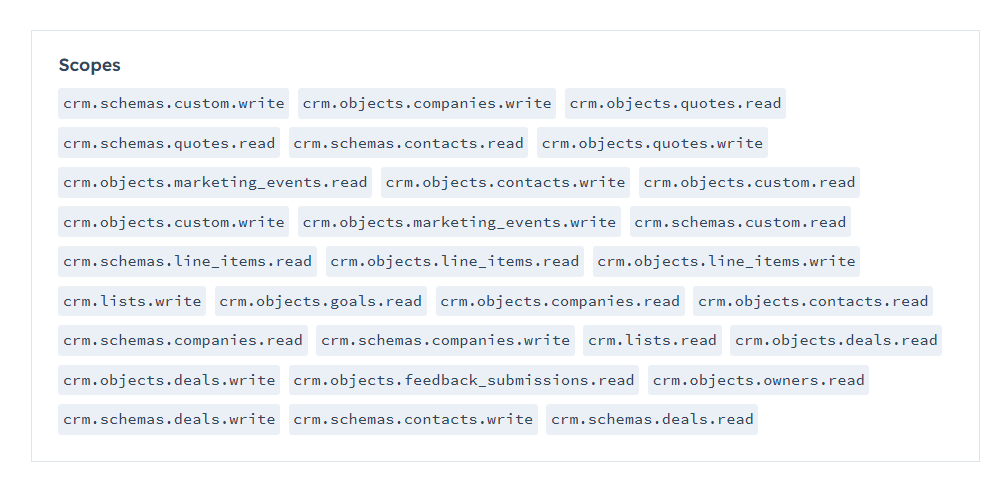
- Key Points: You will need to create a custom app and depending on what your end goal is, you will need to make sure to include the proper scope permissions.
- In my case, I needed to make sure to include the crm.objects.contacts.write scope to allow the integration to create new contact records.
Step 5: Craft a Custom Connector in Power Automate
- Steps:
- You'll need to create a custom connector using this guide: Guide from Microsoft
- After you have the initial custom connector set up, you will need to follow along with these steps, and pull some code from the existing HubSpot CRM integration page on GitHub.
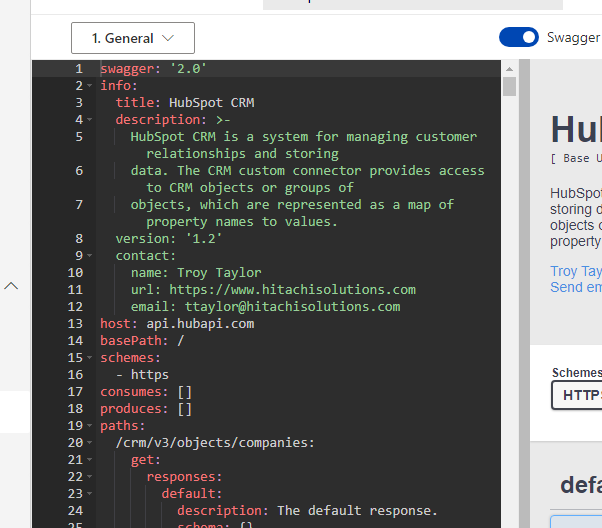
- Open the Swagger Editor and paste the content of the file apiDefinition.swagger.json PowerPlatformConnectors/tree/dev/independent-publisher-connectors/HubSpot%20CRM)/apiDefinition.swagger.json into the swagger editor.
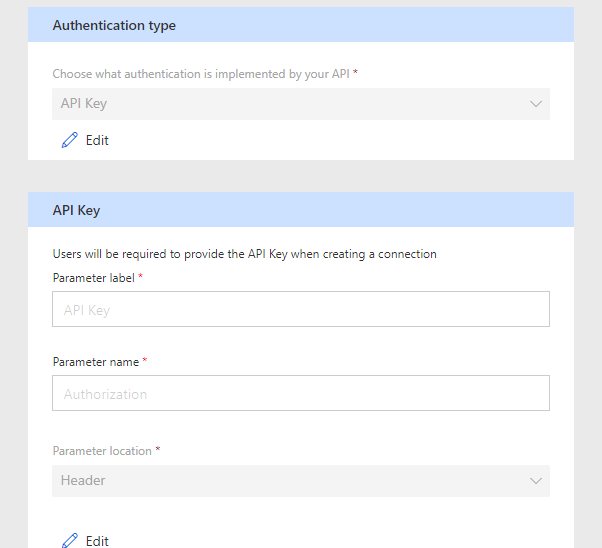
- Navigate back to the Security Tab (2.Security)
Selected API Key as Authentication type.
Parameter label * = API Key
Parameter name * = Authorization
Parameter location * = Header - Go to the Test tab (5, Test) , and click + New Connection
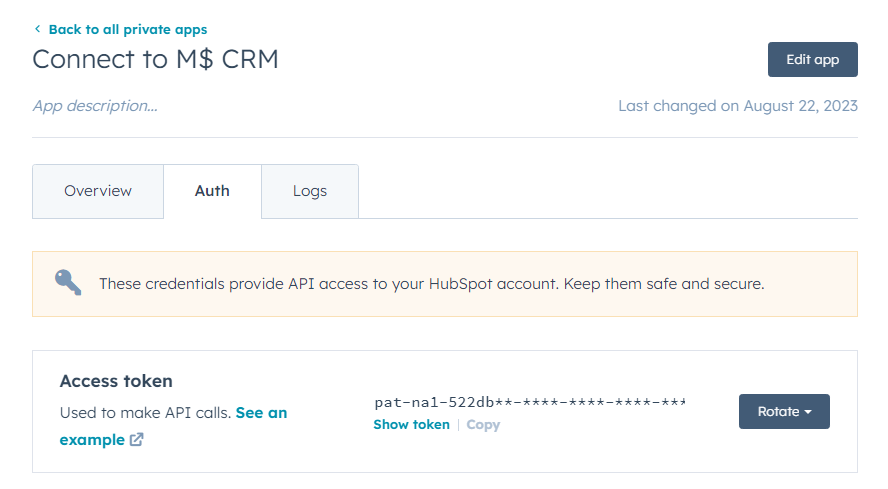
And then entered my Private App Access token from your Custom App. Note, MAKE SURE TO INCLUDE THE ' Bearer ------ ' before the access token.
- Open the Swagger Editor and paste the content of the file apiDefinition.swagger.json PowerPlatformConnectors/tree/dev/independent-publisher-connectors/HubSpot%20CRM)/apiDefinition.swagger.json into the swagger editor.
Step 6: Set Up HubSpot Workflows
- Organize and tag new contacts.
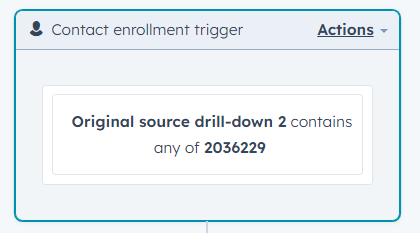
- This is simply a standard HubSpot workflow setup. I used the Original Source Drill-down 2 as a trigger to set other properties on the contact record automatically. Make sure to use the value, not the name on this record as the name will not trigger.
Conclusion:
It might not be obvious, but you CAN directly connect Appsource Leads with HubSpot. It just requires a little customization to the connectors and apps.

